Start sharing your ADS-B data
Follow the guided setup for your hardware, or go straight to the downloads if you already know what you need
Guided set up
Set up your ADS-B receiver
Answer a few questions to help us tailor the commands, ports and checks to your specific setup
What you get locally
The Plane Finder ADS-B Client
It isn't just a feeder - it's a full local tracking tool that runs on your own hardware, using your own data, giving you visibility most feeders never see. It works with most receivers including Plane Finder Radar, Radarcape, Mode-S Beast, Kinetic SBS and Puck models, RTL, MicroADSB etc
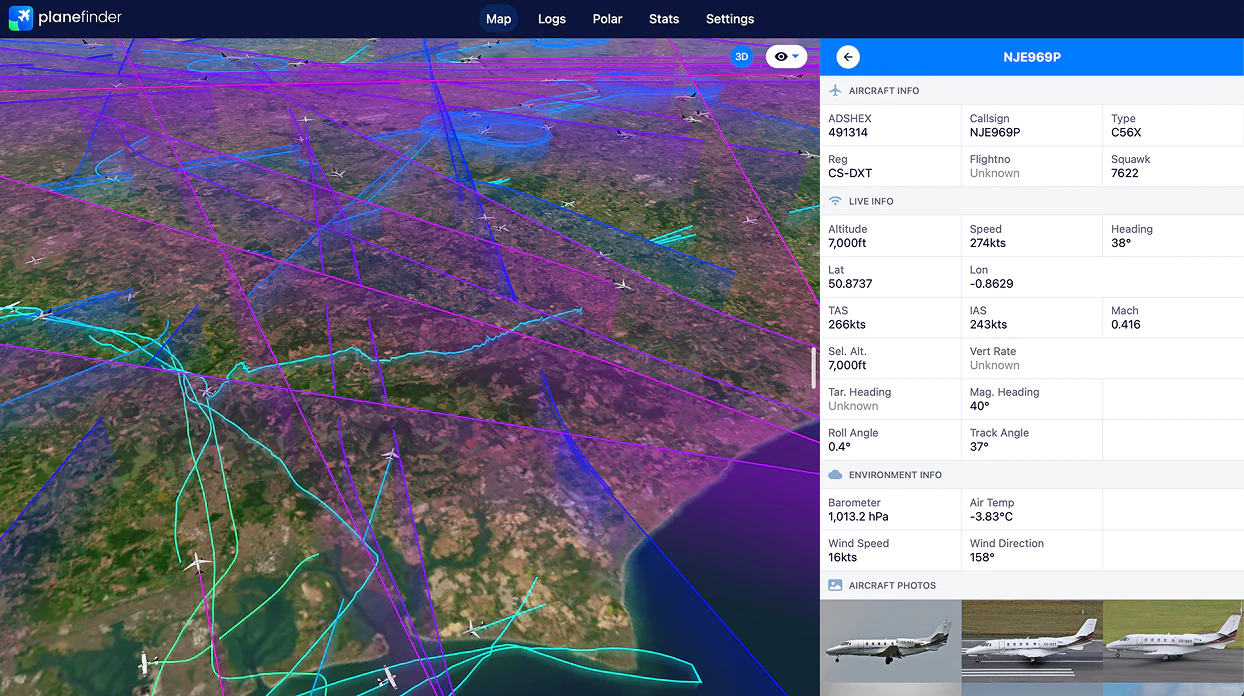
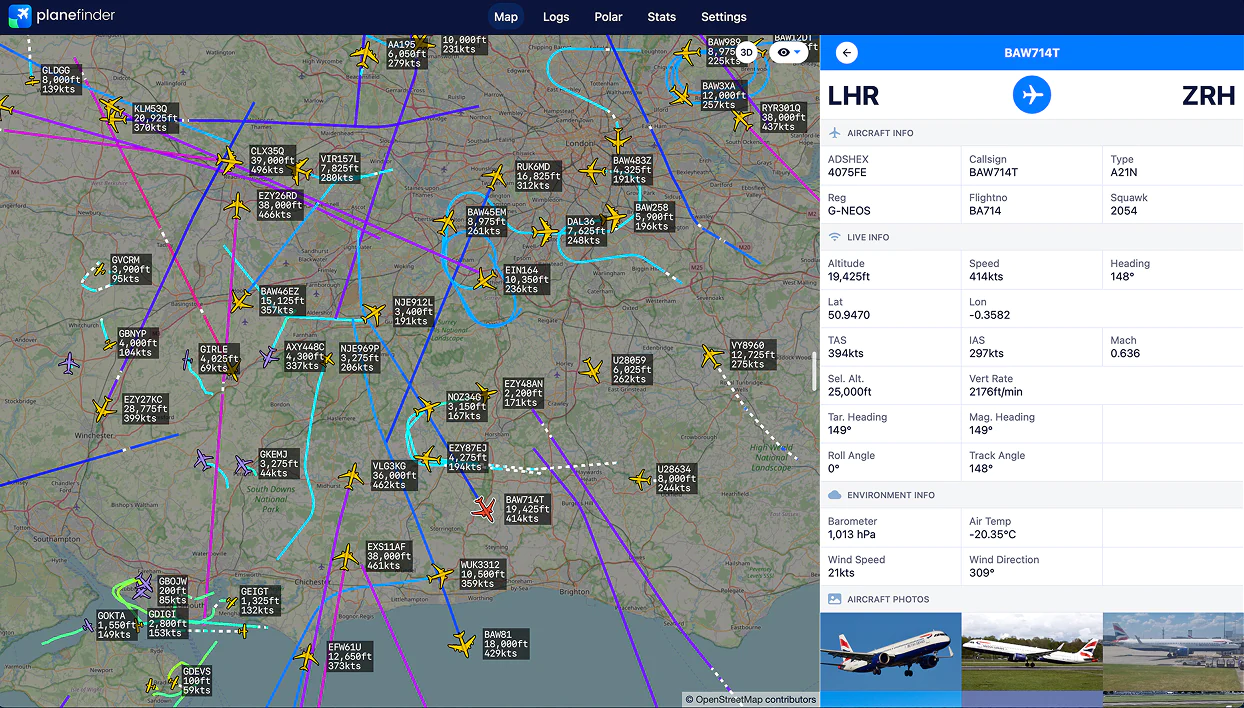
2D & 3D map views
Switch between a labelled 2D map and a dynamic 3D perspective of everything you're detecting
3D polar diagrams
Visualise your receiver's real coverage envelope by range and bearing to spot obstructions
Live performance stats
Mode-S and Mode-AC packet rates, bandwidth, message-type breakdowns and 24-hour history
Full aircraft detail
Callsign, registration, type, squawk, altitude, speed, heading, Mach, plus photos where available
GPS & receiver health
Power, GPS and ADS-B status at a glance, with GPS mode and survey controls on supported units
Searchable data table
Every aircraft you're tracking as a sortable table, with search across callsign, registration, type and squawk
Traffic visualisations
Charted aircraft counts and message volume through the day, so busy periods and quiet gaps stand out at a glance
Low CPU and memory usage
Light enough to sit alongside other feeder software on a Raspberry Pi without slowing the device down
Incredibly accurate data
High-precision decoding and timestamping, so your positions and statistics reflect exactly what your antenna heard
Direct downloads
Download the Plane Finder ADS-B Client
Version 5.4.211, see what's changed. Pick the build that matches your device - the Debian package is the recommended method
Linux ARM64
Latest Raspberry Pi 4 or 5 devices, 64bit
c1d7b57a48310e2a369b85db54fbcf9a
31ec9db4c2de791cda8c055c9e3e5585
Linux ARMHF
Raspberry Pi 3 or older, BeagleBone, Radarcape, 32bit
8b1c13f000bc56e432a84feddf2eaf81
8d92ce2360e21a5faaaf8c713f548f0e
Linux AMD64
Intel or AMD based machines, 64bit
71cb655189f7f21e488fb917364fb9ce
1175f0eb1e975c24e8fa4f2835f509fa
Common questions
Sharing with Plane Finder
What you get, what it costs, and how much control you have
Can I share data with Plane Finder while feeding another network too?
Yes. The Plane Finder ADS-B Client runs as its own independent process on its own ports, so it can read from the same decoder as any other feeder software at the same time. You don't need to remove or reconfigure anything already running. It's also optimised to keep resource use low, so it sits happily alongside other feeders without slowing your device down
What's in it for me?
Sharing unlocks Plane Finder Premium free - an ad-free experience with 15+ exclusive data fields, 3D onboard views, live weather radar overlays, custom aircraft filters, extended flight history playback up to 365 days, and more bookmarks for your favourite planes and airports
Is it free?
Yes, the Plane Finder ADS-B Client is free to download and use. There's no subscription or fee for sharing your data with us
How long until I show up as sharing?
Typically 10-15 minutes after a correct setup, visible on your sharing dashboard at planefinder.net/account/receivers
Do I have to appear on leaderboards, or can I share anonymously?
You're fully in control. Your receiver only appears on our public leaderboards if you want it to - you can remove yourself from the public listings at any time from your own account settings, no need to contact us. You'll still get all the same premium benefits and your own private stats either way
Do I need to keep my device running all the time?
The Plane Finder ADS-B Client only shares data while it's running, so the more uptime your device has, the more consistent your coverage and stats will be. Occasional restarts or downtime won't cause any issues


